Blood Strike Space & Blank Name 2026: 300+ Tags to Copy
A Blood Strike space name uses an invisible character, such as the Hangul filler or the braille blank, because the game trims a normal space bar. Paste one between words for a spaced name, or repeat it for a blank name. The NickGen space tool copies each one in one tap.
By Hoàng Dương Dũng, founder of NickGen · Updated October 6, 2026 · Tested in the live Blood Strike name field in July 2026; normalization results re-checked against Unicode data on October 1, 2026.
What’s on this page
- Space & blank-name tool (copy, build, add a space)
- Ready-made spaced & blank Blood Strike names
- How to change your Blood Strike name
- How to put a space in your name (step by step)
- How to make a blank / invisible name
- Which invisible space character works
- Symbols, kaomoji & name styles to pair with it
- FAQ
Blood Strike space & blank-name tool
Everything runs in your browser — nothing is stored. Tap to copy an invisible space, dial a blank tag up or down, or drop a working space into any name.
1 · Copy an invisible space character
These look empty when pasted. The Hangul filler (ㅤ) is the one most Blood Strike players rely on — try it first.
2 · Build a blank name
Choose how many invisible characters your fully blank tag should contain, then copy. A longer blank is less likely to be rejected as “too short”.
3 · Add a space to your name
Type a name, pick where the space goes, then copy. The gap you see (␣) is invisible in-game.
Ready-made spaced & blank Blood Strike names
Tap any tag to copy it — each already contains a working invisible space (shown here as a faint ␣). Paste it straight into Blood Strike, then swap the letters for your own. These 170+ two-word tags keep their gap in-game where a normal space would be stripped.
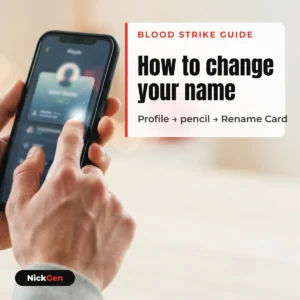
How to change your Blood Strike name
You change your Blood Strike name from your in-game profile. The first change is free; after that each rename needs a Name Change Card from the store. It takes under a minute:
- Open Blood Strike and tap your profile avatar in the top-left of the lobby.
- Tap your current name (or the Edit / pencil icon next to it) to open the rename box.
- Type or paste your new name. To add a space or symbols, paste from the tool above.
- Confirm. Your first change is free; later changes consume one Name Change Card, so get the name right before you confirm.
Names must be unique and pass the profanity filter, so a taken or blocked name will be rejected — adjust a letter or symbol and try again.
How to put a space in your Blood Strike name (step by step)
A normal space bar gets trimmed by the name filter, which is why "Blood Strike" collapses to "BloodStrike". The fix is to paste an invisible Unicode space instead of a real one:
- Copy an invisible space — tap "Hangul filler (ㅤ)" in section 1 above, or type your full name into section 3 and choose Space between words.
- Open the rename box in your Blood Strike profile.
- Paste the copied text where you want the gap. On mobile, long-press the field → Paste.
- Check the preview. If the space disappears on confirm, the game stripped that character — go back and try the No-break space or Braille blank instead.
Because the gap is a real character (not a keyboard space), it survives the filter and shows correctly to other players. The same trick works for spaces in your clan tag and bio.
How to make a blank / invisible name in Blood Strike
A blank name is a tag made entirely of invisible characters, so your name slot looks empty on the scoreboard. Build one in seconds:
- Use section 2 above. Set the counter to around 3–8 invisible characters and tap Copy blank name (too few and the game may reject it as empty).
- Paste it into the rename box as your whole name.
- Confirm. If Blood Strike rejects an all-blank name, add one visible symbol from our Blood Strike special characters page (for example a lone ᐧ or ·) so the field isn't technically empty.
Heads-up: some regions and patches block fully blank names on purpose. If yours won't save, a near-blank name with a single tiny dot is the reliable fallback. Making a blank tag for another game too? Our invisible name for games — blank characters that work page compares the same characters across other shooters and apps.
Which invisible space character works in Blood Strike
No single character is guaranteed forever — Blood Strike's filter changes by patch and region, so the honest advice is to paste one, confirm, and switch if it's trimmed. From testing in the live name field, this is how the common options behave:
| Character | Code | Behavior in the Blood Strike name field (tested July 2026) | After NFKC (checked Oct 1, 2026) |
|---|---|---|---|
| Hangul filler ㅤ | U+3164 | ✅ Most reliable — the classic in-game invisible space; try this first | U+1160 (another filler) |
| No-break space | U+00A0 | ✅ Often works — good backup for a single gap between words | U+0020 (normal space, gets trimmed) |
| Braille blank ⠀ | U+2800 | ✅ Wide invisible block — handy for blank names; survives on many patches | Unchanged |
| Ideographic space | U+3000 | ⚠️ Full-width — sometimes shows a visible gap or is trimmed | U+0020 (normal space, gets trimmed) |
| Zero-width space | U+200B | ❌ Usually stripped on save — last resort only | Unchanged, but has no width |
Why some of these get trimmed: Unicode normalization. When a field runs your text through the normalization form called NFKC, several of these characters are rewritten before they are ever saved. We checked each one, and the results explain the pattern above: U+00A0 and U+3000 both become an ordinary space (U+0020) — which the game then trims like any other space. U+3164 is rewritten to U+1160, a different filler. U+2800 is the only one in this list that passes through NFKC completely unchanged.
That is the practical reason U+2800 keeps working on patches where the others suddenly stop: it is not a space character at all, it is a braille cell that happens to be empty, so normalization has nothing to convert it into. The trade-off is that a few older devices draw it as a faint dot pattern instead of nothing. If your blank name keeps collapsing after you save it, U+2800 is the one to try. The same mechanism is what turns fancy lettering back into plain letters — we break that down in why a fancy name snaps back to plain letters.
Want symbols and frames instead of just spaces? Our Blood Strike special characters tool has 175+ copy-and-paste glyphs, and the main NickGen — blood strike name generator restyles your whole name in one tap.
Symbols, kaomoji and name styles to pair with your space
An invisible space is only half the look — most players pair it with a symbol or a styled font. Everything below is tap-to-copy and grouped by type, so you can grab one piece at a time and build the name yourself. Remember the two rules from above: colour emoji are usually stripped by the name field, and anything you paste still counts toward the character limit.
Symbols & characters (50)
Kaomoji faces (30)
Emoji (30) — use these in your bio, not the name field
Colour emoji are the one group Blood Strike usually strips from a name. They still work in bios and chat, so they are here for that.
Name styles & frames (18 ways to wrap the same name)
The same word, Reaper, written 18 different ways. Tap to copy, then swap in your own letters. The first six are Unicode letter styles; note that only small caps survives NFKC normalization, as explained above.
Blood Strike name space & change — FAQ
Why does the space in my Blood Strike name disappear?
The name filter treats a normal keyboard space as empty and trims it, so "Blood Strike" becomes "BloodStrike". Paste an invisible Unicode space (Hangul filler ㅤ, U+3164) instead — it counts as a real character and stays.
Is my first Blood Strike name change free?
Yes. Your first rename is free from your profile. After that, each change requires a Name Change Card bought from the store, so decide on the final spelling and spacing before you confirm.
How do I make a completely blank name?
Use the blank-name builder above to copy several invisible characters (3–8 works well) and paste them as your whole name. If the game rejects an all-empty name, add one tiny visible symbol so the field isn't technically blank.
Can I put a space in my Blood Strike clan tag?
Yes — the clan tag reads the same Unicode as the player name, so paste the same invisible space between words. Tags are short, so one gap usually looks best.
Are spaces and blank names against the Blood Strike rules?
Using a public Unicode character in your name is a common cosmetic trick, not a cheat. That said, some regions block fully blank names by policy — if yours won't save, use a near-blank name with a single dot. NickGen is an independent tool and not affiliated with NetEase or Blood Strike.
Independent & honest: NickGen is a free tool built and tested by Blood Strike player Hoàng Dương Dũng. Not affiliated with NetEase or Blood Strike. Invisible spaces are public Unicode characters and may behave differently across game patches and regions.
Related articles
How to Change Your Blood Strike Name 2026 (Free Name Change Card)

Blood Strike Codes October 2026: 7 Codes to Copy & Check